
March 27, 2025 · Mandeep Singh
Planning Wholesale DTF Transfer Orders
Plan a wholesale DTF transfer order around artwork, sheet quantity, eligible savings, production timing and garment application.
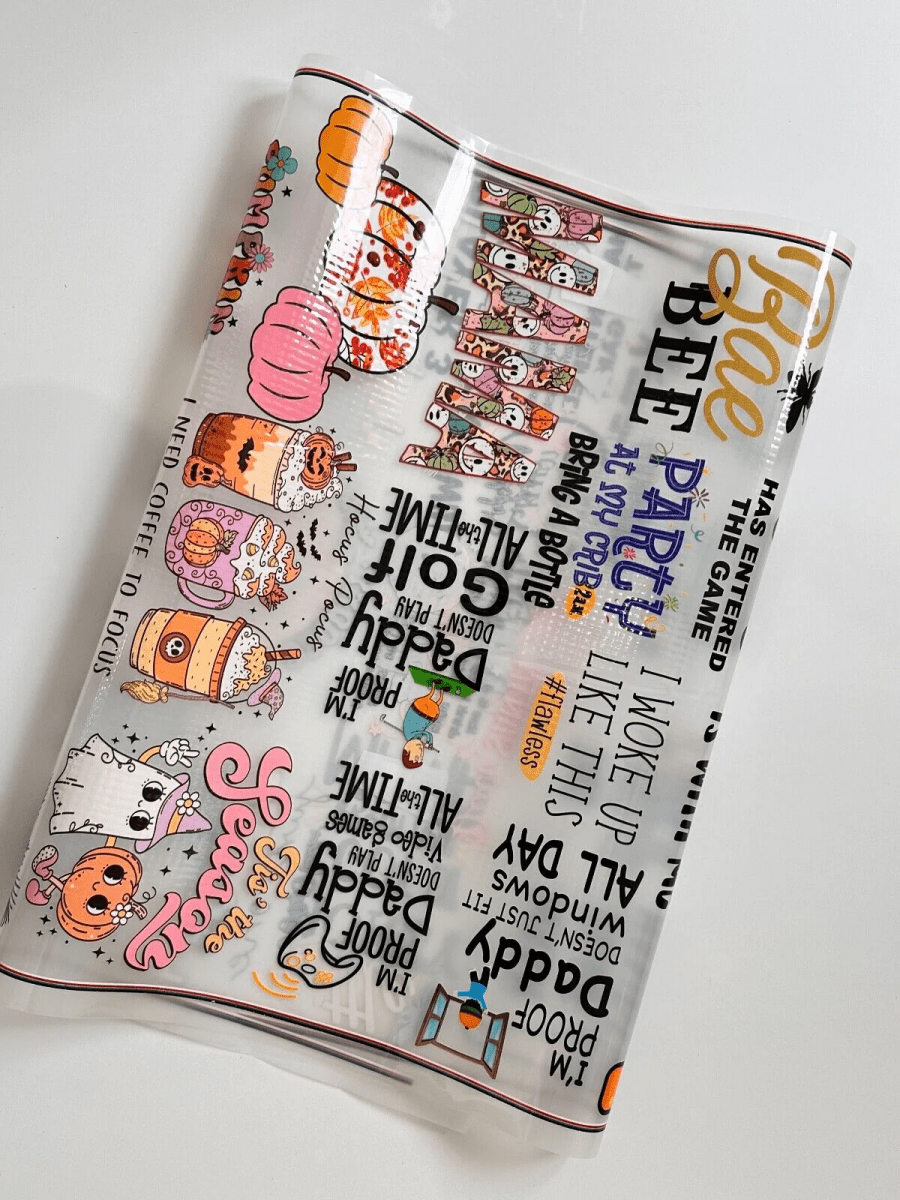
Order printed DTF transfer film when your shop wants to prepare artwork and handle garment application without running a DTF printer. Plan the artwork, sheet quantity and heat-press work together before placing a wholesale order.
How to compare wholesale DTF suppliers
Before committing a wholesale job, check the print evidence you can inspect and how custom-order problems are handled.
Distinguish actual prints from application mockups
Look for clearly labeled photographs of printed transfers. An apparel mockup illustrates an intended application; it does not show a completed print. At Buy Bulk DTF, explore the actual printed-transfer gallery and read customer reviews. Compare what each example shows with your planned job. Photographs and reviews do not replace testing a transfer on your intended blank with the appropriate pressing instructions.
Read the custom-order issue and return rules
Check the exceptions and reporting process before ordering. Under our current refund policy, correctly produced custom DTF transfers are not returnable for change of mind, including orders purchased with a quantity discount. Inspect your order when it arrives and contact us immediately if it is defective, damaged or incorrect so the issue can be evaluated. Follow the policy's return-request process; do not send items back without authorization.
Choose the sheet workflow
Use the gang sheet builder to arrange individual graphics, or upload a completed print-ready layout. Match the layout to the selected sheet dimensions and check every graphic at its finished size.
For repeated identical graphics, use the free gang sheet layout calculator to compare two uniform grids with confirmed usable area and spacing. It does not arrange mixed artwork or different names.
Compare the complete job cost
Count the graphics on each sheet and the sheets needed for the job. Review the current volume discount rules for qualifying builder and upload orders. The artwork editor may show a subtotal before savings; confirm eligible discounts, shipping and tax in your cart and checkout. Include garment and application costs in your planning.
Confirm the schedule before promising delivery
Production starts after payment, usable artwork and required details are accepted. Production and carrier transit are separate. Check the current production and shipping guide; for a deadline, send the service, sheet size, quantity, destination and required arrival date to print support before ordering.
Test and keep the job details
A garment and pressing service are not included. Review the garment care label and instructions for the transfer supplied, then test one on the intended blank before a full run. Keep the final artwork, sheet size, quantity and tested press settings for repeat work.
Plan mixed artwork quantities before repeating a sheet
Write the required copies beside each finished-size graphic. Count front, back and personalized-name artwork separately. Sheet quantity repeats the complete layout; it is not the number of garments or the number of different designs.
Worked example: common fronts, fewer backs
Suppose a job needs 24 front logos and 6 sponsor backs. A checked layout containing 6 fronts and 2 backs, printed 4 times, produces 24 fronts and 8 backs. The fronts match the job, but there are 2 extra backs.
For comparison, 8 fronts and 2 backs repeated 3 times would give 24 fronts and 6 backs. This is counting arithmetic, not a packing diagram: use an allocation only after confirming that the actual graphics fit the selected sheet at their finished dimensions. Adjust the layout or split the job between checked layouts if needed.
Check personalized names one by one
If 12 shirts need 12 different names, a sheet containing all 12 names printed twice gives 2 copies of each name, not 24 different names. Make a per-person list and compare spelling, dimensions and copies with the intended artwork.
For each layout, record the sheet size, graphics or names, copies of each graphic per sheet, and number of sheets. Multiply each graphic's copies per sheet by that layout's sheet quantity, then add its copies across the other layouts. Compare those totals with the job list and review the artwork and quantity on every cart line.
Ready to arrange your graphics? Use the DTF gang sheet builder, or upload a completed sheet layout. Once the counts and dimensions are checked, compare current sheet options and estimated pricing.